How to Use TamaHome Toolkit
Lab Items, Gifts, Playdate, and Custom Characters
Before you start
You'll need:
- The TamaHome Toolkit installed for your OS — see Windows or Mac & Linux.
- A working USB connection — follow Windows Setup or macOS Setup.
- Your license file activated — see the License Activation Guide.
Pre-usage readiness
Run these checks every time before sending data:
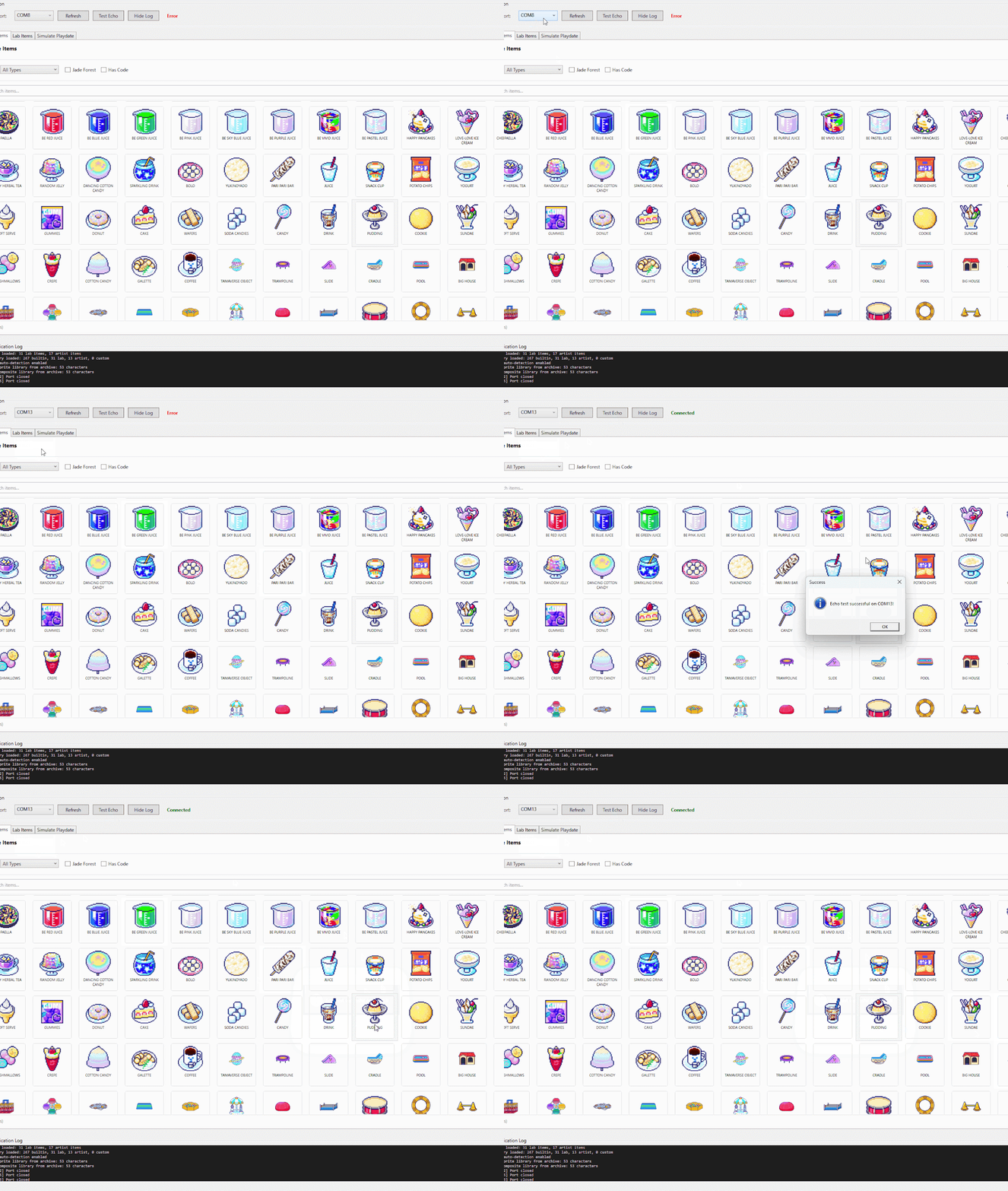
- Refresh and select the correct port: click Refresh once to update the port list, then pick the bottom-most / newest port (usually the cable you just plugged in).
- Run Echo test: on your Tamagotchi Paradise, go to Connect → Download. When you see the star icon, the device is ready to receive. Click Echo on your PC to verify the connection.
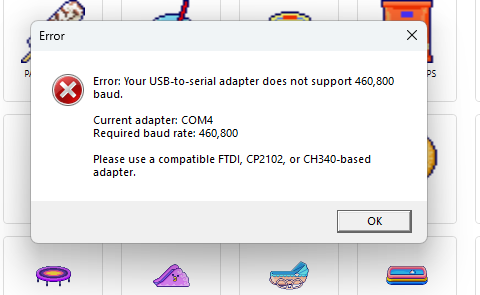
For DIY cables: if Echo errors out, your USB-to-serial chip may not be supported. Switch to a working chip — FTDI, CP2102, or CH340.
Sending Lab Items
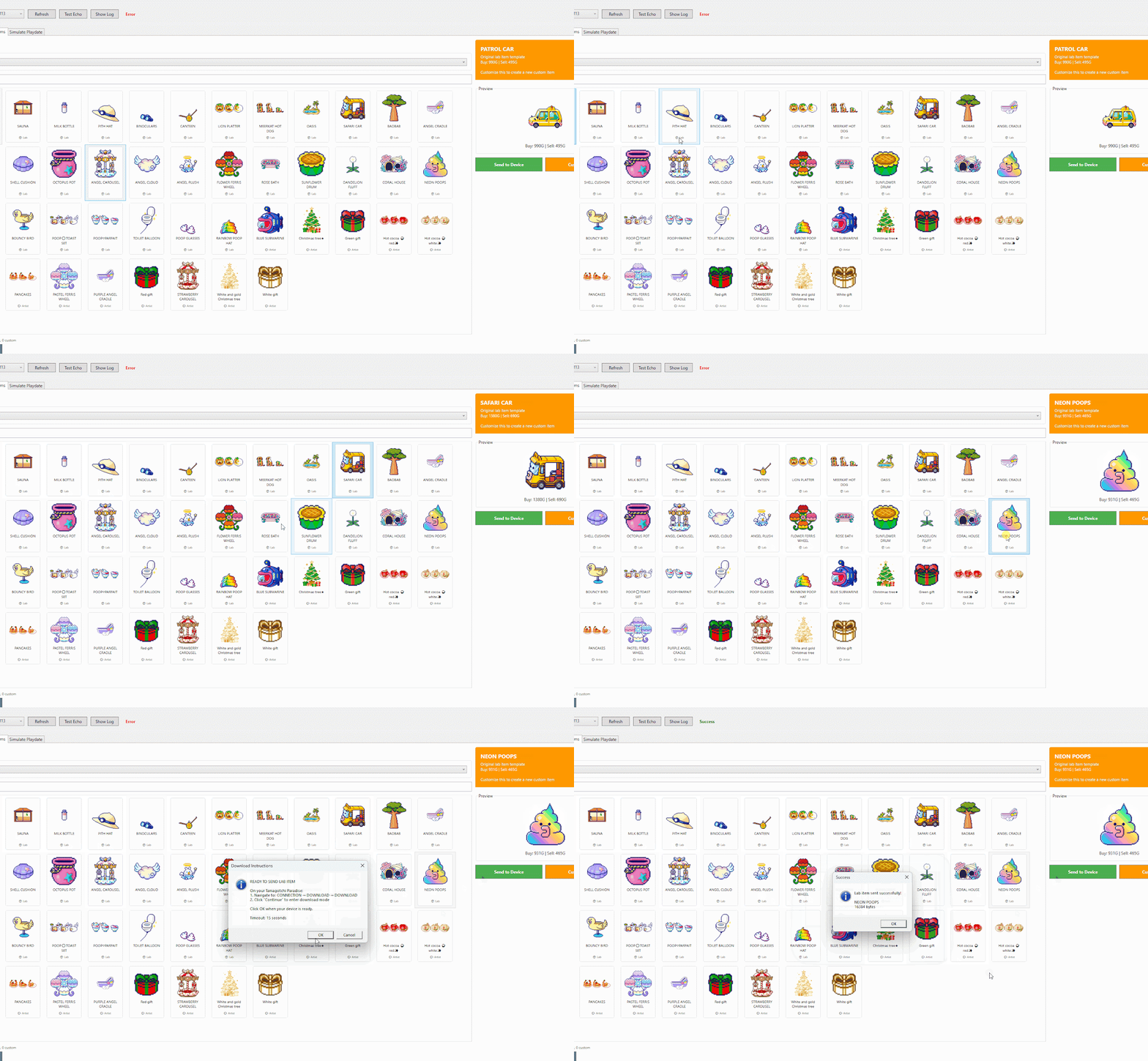
Lab items are sent through the Download screen (the screen with the star icon) — the same way you tested Echo.
- Get the device into ready state: with the star icon showing on your Tamagotchi, you can send items immediately.
- Pick an item: select the item you want from the list in the app.
- Use the filter to narrow the list. Categories:
- Lab Originals — items from Lab Tama.
- Artist Item — items contributed by community artists.
- My Custom Item — items you have customised yourself.
Want to farm currency with this? See the Instant Money Trick.
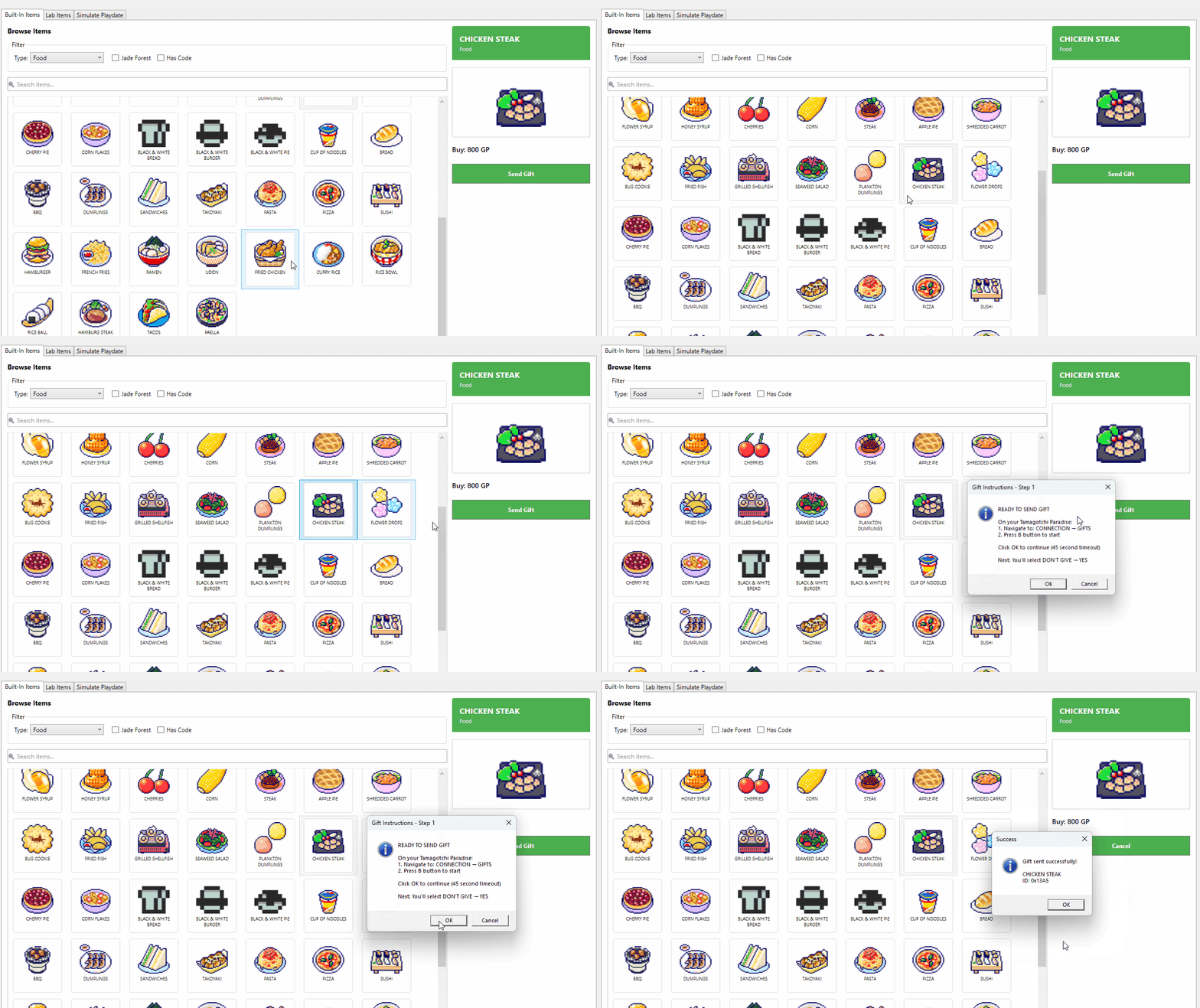
Sending Built-in Items (Sent Gifts mode)
Built-in items use a different transfer mode on the device. The flow is fiddly but easy once you've done it once.
- Select an item on your computer.
- Prepare the device:
- Open the Connect menu.
- Select Sent Gift mode.
- Press the B button to put the device on standby for data.
- Click OK on the computer to start the transfer.
- Critical step — do not miss this: when the device finishes receiving, a 4-option menu appears. Scroll down to the last option, "Don't Give", and confirm. This is counter-intuitive but it's the option that actually stores the item.
- If the item doesn't appear: open the in-game Shop on the device — sometimes the item lands there to be picked up.
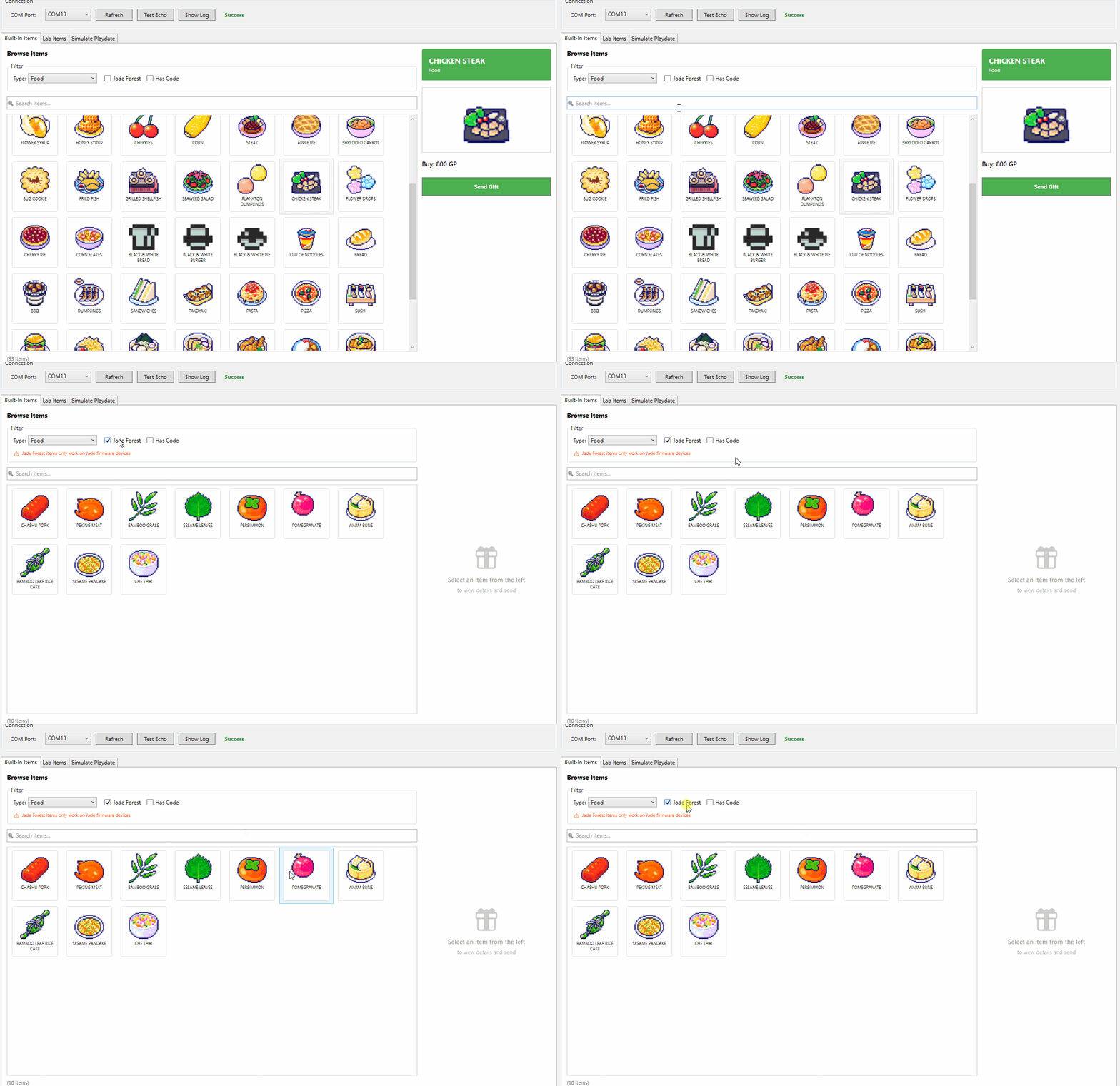
Jade Forest only: some items are exclusive to the Jade Forest model and only send to that variant.
Simulate Playdate
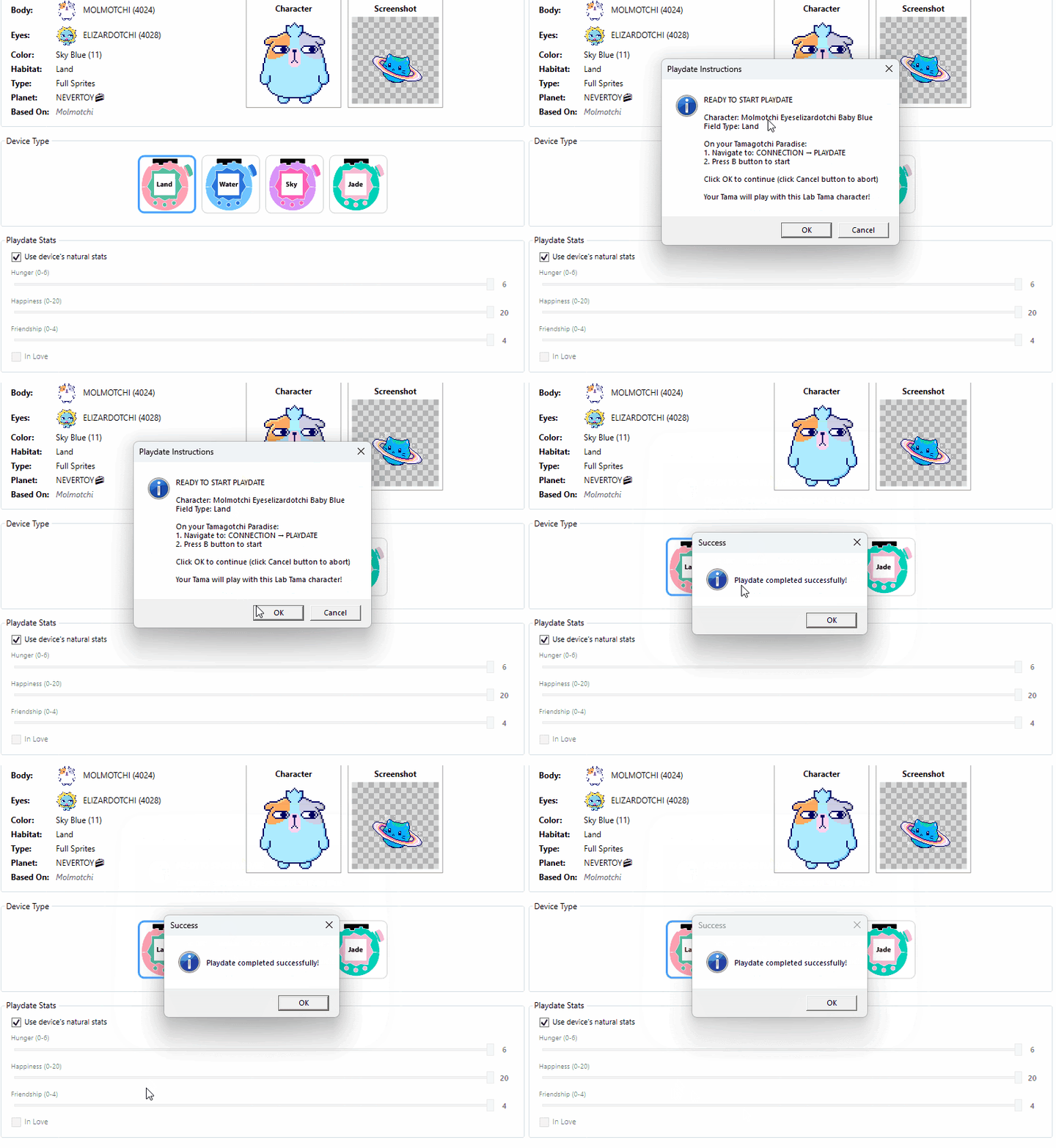
Use this mode to take any character on a date with your Tama, or to breed Secret Characters from any model variant.
- Instant character selection: pull characters from any colour variant.
- Filter by category for fast searching.
- Collector-friendly: select Secret Characters from the menu and breed them directly.
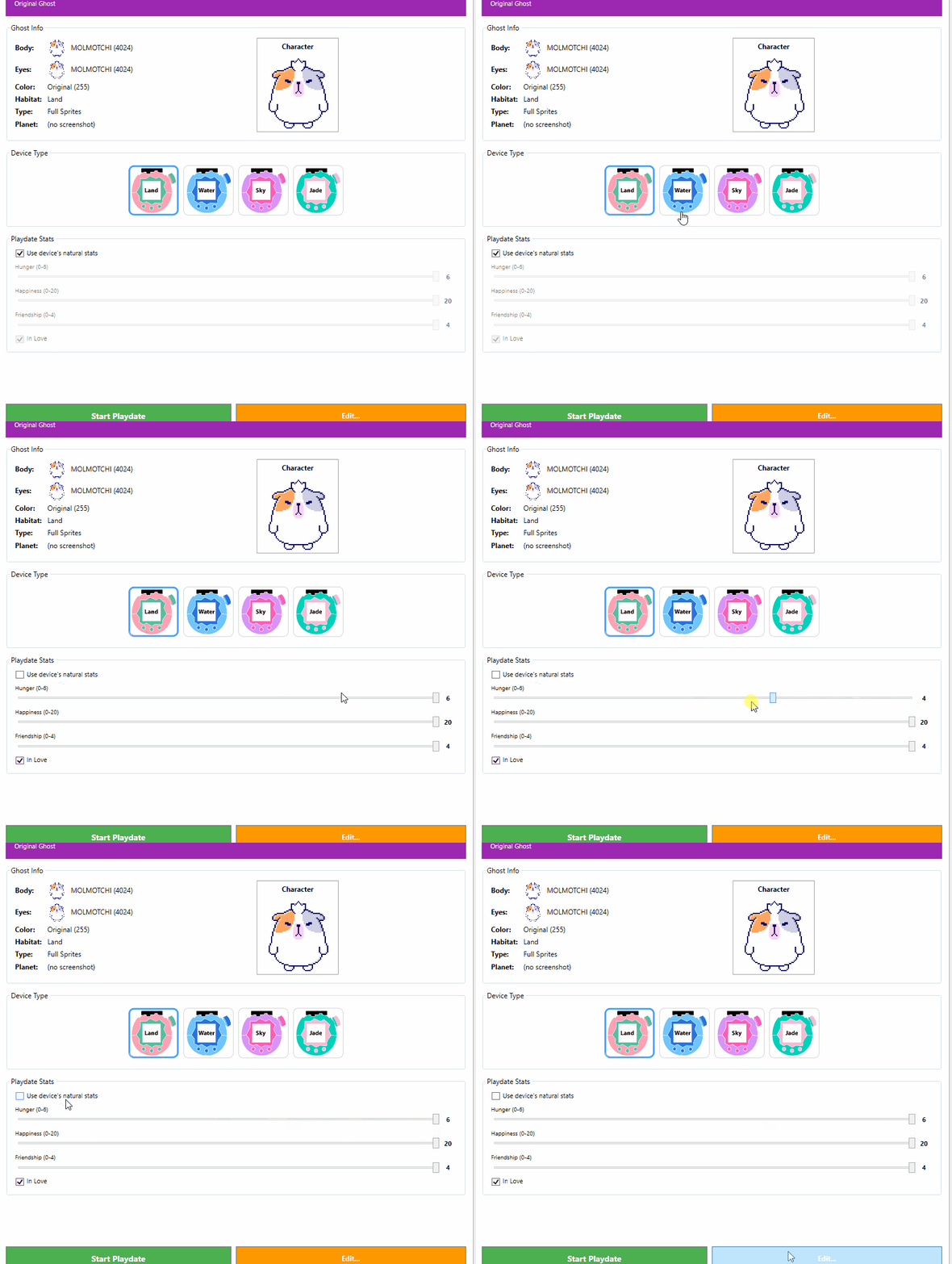
Playdate Stats
Set the relationship status manually before the date.
- Love shortcut: jump straight to "In Love" status to make breeding easier.
Detailed stats (3 sliders)
- Hunger: 0–4. Adjust fullness to prep for activities.
- Happiness: 0–20. Set mood from lonely to joyful.
- Friendship: 0–4. Refine intimacy level.
Use natural stats
Tick the "Use device's natural stats" box to skip customisation and use the actual values from your device.
Start the Playdate
- Start Playdate (green button): begin the date immediately.
- Edit (orange button): go back to customise the character (Custom Ghost) before starting.
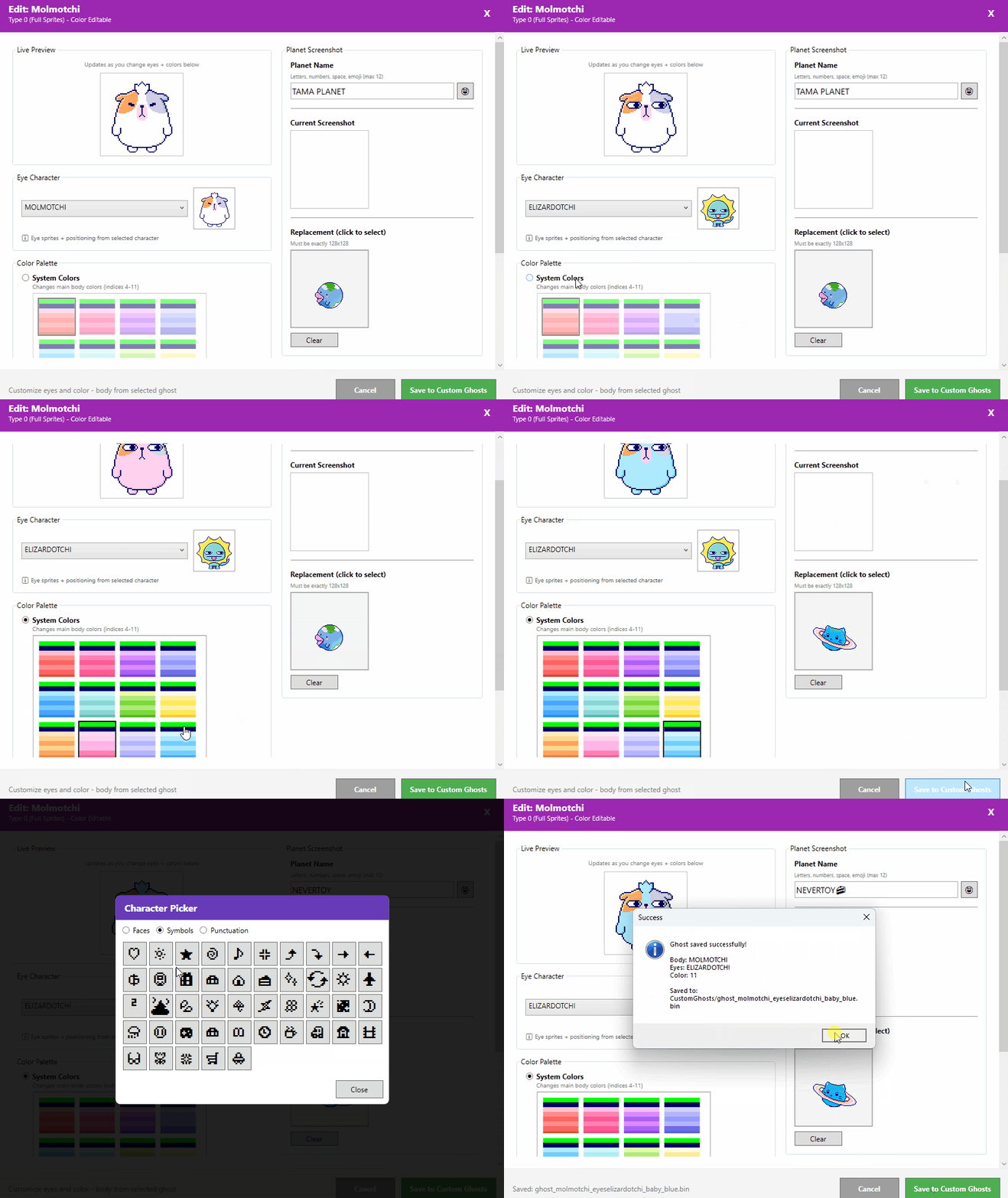
Custom Characters (Live Preview)
Build and edit your own characters with real-time feedback.
- Live preview shows changes as you make them.
- Full customisation: eyes, body colours, home planet name, icons.
- Ready to use: save and take your custom character on a date immediately.